
Core Web Vitals are now a confirmed ranking factor for Google. But here is what most small business owners do not understand: you do not need perfect scores on all three metrics to move the needle. In fact, obsessing over every decimal point wastes time and money that could be spent on the fixes that actually matter for your business.
This article breaks down what LCP (Largest Contentful Paint), INP (Interaction to Next Paint), and CLS (Cumulative Layout Shift) actually measure, how to check your scores for free, and the specific optimizations that deliver real-world improvements — not tiny fractional gains that require expensive rewrites.
What Are Core Web Vitals? (Simple Definition)
Core Web Vitals are three specific metrics that Google uses to measure user experience on web pages. Google announced them as ranking factors, meaning they influence where your page appears in search results. But "ranking factor" does not mean they are deal-breakers — they are one of many signals in Google's algorithm.
The three metrics are:
- LCP (Largest Contentful Paint) — How fast the main content loads and appears on the screen. Target: Under 2.5 seconds.
- INP (Interaction to Next Paint) — How quickly the page responds when you click, type, or interact with it. Target: Under 200 milliseconds.
- CLS (Cumulative Layout Shift) — Whether elements on the page jump around while it is loading. Target: Under 0.1.
Google groups them into three categories: Good (green), Needs Improvement (orange), and Poor (red). A page is considered to have "good" Core Web Vitals if all three metrics meet the "good" thresholds.
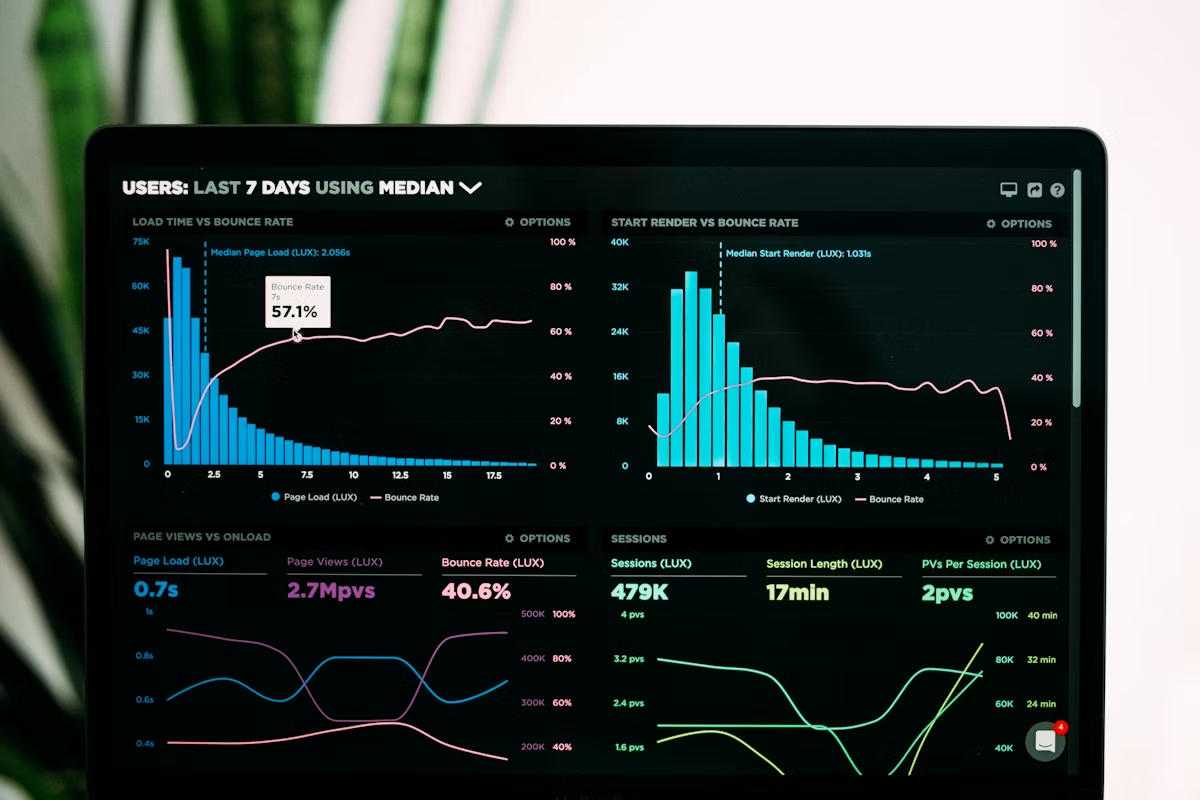
How to Measure Your Core Web Vitals (Free Tools)
You do not need to hire an agency to measure your Core Web Vitals. Google provides multiple free tools that give you accurate data in minutes.
For most small businesses, Google PageSpeed Insights is the place to start. It is the simplest, requires no setup, and gives you immediately actionable suggestions.
Important note: PageSpeed Insights shows "lab" data (simulated conditions) while Google Search Console shows "field" data (real user experience). Both are useful. Lab data helps you identify fixes; field data tells you if those fixes are actually working for real visitors.
LCP Optimization: Getting Your Largest Content to Load Fast
LCP measures when the biggest visible element on the page finishes loading. This is usually your hero image, a headline, or a block of text. If your LCP is slow, it is almost always because:
- Large, unoptimized images. A hero image that is 2MB instead of 50KB will destroy your LCP score. The most impactful fix for most small businesses.
- Render-blocking resources. CSS or JavaScript that must load before the page can display content. Third-party tags (ads, analytics, chat widgets) often cause this.
- Slow server response time. If your hosting is slow, everything is slow. This is a foundational issue.
- Client-side rendering. If your page is built in JavaScript and renders content in the browser instead of serving HTML, LCP suffers. Less common for small business websites, but relevant if you use a heavy JavaScript framework.
The highest-ROI fixes for LCP are image optimization (compress and serve properly sized images), deferring non-critical JavaScript, and reducing third-party script impact.
INP Optimization: Making Your Page Respond Fast to User Input
INP measures how long it takes the page to respond when a user clicks a button, fills out a form, or interacts with the page. A slow INP means clicks feel sluggish or unresponsive.
INP is almost always caused by JavaScript that runs on the main thread and blocks the page from responding to user input. The fixes are:
- Break up long JavaScript tasks into smaller chunks. If a single JavaScript task takes longer than 50ms, the browser cannot respond to user input in that window.
- Defer non-critical JavaScript. Analytics, chat widgets, and other third-party scripts do not need to run on page load. Load them after the page is interactive.
- Optimize form handling. If you have forms, make sure form submission and validation logic is not blocking the main thread.
- Use web workers for heavy processing. For data-heavy pages, offload processing to web workers so the main thread stays responsive.

CLS Optimization: Preventing Layout Shifts
CLS measures layout shift — the degree to which elements on the page move around as the page loads. High CLS means buttons shift, text moves, and ads pop in and push content down. It is annoying and damages user experience.
CLS is usually caused by:
- Ads that load late. Ads often push content down after the page appears to be loaded.
- Images without dimensions. If images do not have a specified width and height, the browser does not reserve space for them, causing shift when they load.
- Web fonts that load slowly. If text switches from a system font to a custom web font mid-load, it can cause shift.
- Third-party embeds. Embedded videos, maps, or other content that loads asynchronously can cause shift.
The highest-ROI fixes: always specify image dimensions in HTML, defer ads until after page load, and use font-display: swap to prevent font shift.
The 7 Fixes That Move the Needle Most
If you are starting from scratch or have poor Core Web Vitals, focus on these seven fixes first. They deliver 80% of the improvement with 20% of the effort.
- Compress and optimize images. Use WebP format, compress to 50–100KB, and specify dimensions. This fixes LCP for most small business websites.
- Defer third-party scripts until after page load. Move analytics, chat widgets, and ads to load after interaction. Improves both LCP and INP.
- Enable GZIP compression on your server. This is often a hosting configuration. Contact your host if you are unsure.
- Add image dimensions to HTML. Set width and height attributes on all images. This prevents CLS.
- Use a Content Delivery Network (CDN). CDNs like Cloudflare (free tier available) serve images and static assets from servers closer to your users. Improves LCP.
- Minimize unused CSS and JavaScript. Remove code you are not using. PageSpeed Insights will identify specific files to reduce.
- Upgrade hosting if response time is slow. If your server response time is above 600ms, no amount of frontend optimization will fix it. Better hosting solves the root problem.
Reality check: You do not need to implement all seven fixes at once. Start with image optimization (fix #1). Measure the impact. If that gets you to "good", you are done. Most small business websites can hit "good" scores with image optimization alone.
Does Core Web Vitals Impact Rankings? (Honest Answer)
Yes, Core Web Vitals are a ranking factor. But they are not the dominant ranking factor. Content quality, relevance, links, and user signals (click-through rate, bounce rate, time on page) still matter more than Core Web Vitals scores.
Here is the honest picture: if your Core Web Vitals are poor, it might cost you rankings. If they are good, it might help you slightly. But if your content is thin, your technical SEO is broken, or your site has few quality links, fixing Core Web Vitals alone will not move you from page 3 to page 1.
The biggest reason to fix Core Web Vitals is not rankings — it is user experience. A fast, responsive page with no layout shift converts better, has lower bounce rates, and keeps people on your site longer. Those benefits compound over time more than any ranking signal.
The Bottom Line
Core Web Vitals matter for both SEO and user experience. You can measure them free using Google PageSpeed Insights. Most small business websites can hit "good" scores with image optimization and deferring third-party scripts — fixes that cost little and take days, not months.
Do not let perfectionism be the enemy of good. A "Needs Improvement" score is not a crisis. Focus first on the fixes that give you the most improvement for the least effort. Once you have tackled those, reassess whether additional optimization is worth the time and money.
If you want a full Core Web Vitals audit with specific recommendations for your website, book a free 30-minute consultation and we can walk through your scores together.