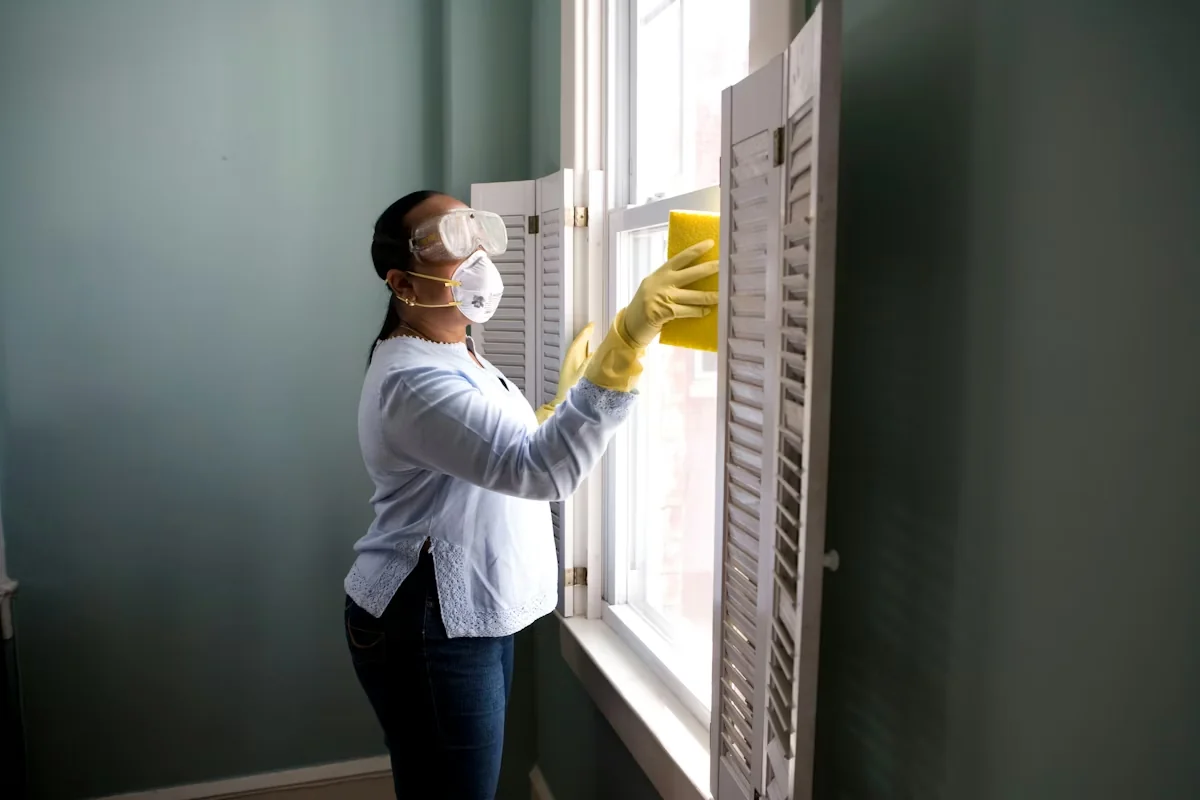
Most local SEO advice is written with one type of business in mind: the kind with a shopfront, a fixed address, and customers who walk through the door. But a huge portion of the economy works differently. Plumbers drive to you. Cleaners arrive at your home. Electricians, landscapers, pest control operators, mobile dog groomers, HVAC technicians — these are service-area businesses (SABs): companies that travel to their customers rather than waiting for them to show up.
The challenge is that Google's entire local search infrastructure — the map pack, Google Business Profile, distance-based ranking signals — was architected around physical locations. When you do not have a storefront you can display publicly, the system does not automatically accommodate you. You have to configure it deliberately, build out your online presence in ways that compensate for the missing address, and avoid a set of mistakes that are uniquely damaging for SABs.
This playbook covers exactly that. From setting up your Google Business Profile correctly to building city-level landing pages, developing a review strategy without foot traffic, and earning local links that move the needle — everything here is specific to businesses that operate without a single fixed customer-facing location. If that describes your business, read on.
The Service-Area Business Challenge
Google's local ranking algorithm weighs three core factors: relevance (does your business match what the searcher wants?), distance (how close is your business to the searcher?), and prominence (how well-known and trusted is your business?). For a business with a physical address, the distance calculation is straightforward. For an SAB, it is more complicated — and here is why that matters.
When you operate as a service-area business and hide your address on your Google Business Profile (the correct approach, covered in the next section), Google does not have a single point from which to calculate distance. Instead, it relies on the service-area boundaries you define, your website's local signals, and the location of the searcher relative to the areas you have named. This means an SAB that has configured everything correctly can still rank — but only if every signal is pointing in the right direction. There is no address acting as a shortcut.
The practical consequence is that SABs must work harder on the signals they can control: their GBP service-area configuration, on-site local content, review volume, and local link profile. The good news is that most SAB competitors have not done this work. Their GBPs are misconfigured, their websites have no city-level content, and they have no coherent review strategy. The gap between a well-optimised SAB and a neglected one is large — and closeable with a systematic approach.
Google Business Profile for Service-Area Businesses
Your Google Business Profile is still the foundation of local SEO even without a physical address. The key difference from a storefront business is in how you configure it. Getting this wrong is the single most common mistake SABs make — and it can either expose your home address publicly (a privacy problem) or send confusing signals to Google (a ranking problem).
Hide Your Address, Set Your Service Area
If you operate from a home address or a location that customers do not visit, you should hide your address in your GBP settings. Log into your Google Business Profile, go to Business Information, find the Address section, and uncheck the option to display your address. This does not remove your listing — it simply stops your street address from appearing publicly. Your listing will continue to appear in search and maps results for your defined service area.
Once the address is hidden, you must define your service area explicitly. This is where most SABs either over-reach (selecting an entire metropolitan region when they realistically serve only a handful of suburbs) or under-reach (selecting only one or two areas when they regularly work across ten). The right approach is to list every specific city, suburb, town, or postcode where you genuinely and consistently provide service. Google allows up to 20 service area locations. Be specific and accurate.
- Display your home address publicly
- Set service area as the entire metro region
- Select a single broad city covering 50+ suburbs
- Add areas where you rarely or never work
- Ignore the service area field entirely
- Use a virtual office or PO Box as your address
- Hide address, configure SAB mode in GBP
- List specific cities and suburbs you serve
- Add up to 20 accurate service-area locations
- Only include areas where you actively work
- Match GBP service areas to website pages
- Review and update areas quarterly
Category and Profile Completeness
Beyond the service-area configuration, all the standard GBP optimisation rules apply with equal force for SABs. Choose the most specific possible primary category — "Emergency Plumber" rather than "Plumber," "Residential Cleaning Service" rather than "Cleaning Service." Complete every available profile field: business description (750 characters, keyword-informed), individual services with descriptions and prices, photos of your work and team, and a working website link. Enable messaging. Populate the Q&A section proactively with the questions your prospects actually ask. Google Posts matter here too — a consistent weekly posting cadence signals active management and correlates with stronger ranking performance.
Service Area Pages on Your Website
For an SAB without a displayable address, your website's local content becomes especially important. Google needs on-site signals to confirm that your business genuinely serves the areas you have listed in your GBP. The best way to provide those signals is through dedicated service area pages — one page per city or suburb where you want to rank.
A service area page is not a thin placeholder stuffed with keywords. It is a genuinely useful, location-specific page that tells a searcher (and Google) exactly what you offer in that area, how to reach you, and why you are the right choice for that location. Done correctly, these pages can rank organically for city-level service queries even before your GBP starts gaining traction in that area.
What Each Page Should Include
- A specific H1 incorporating the city and service — for example, "Drain Unblocking in Mississauga" or "House Cleaning Services in Oakville." The city name in the H1 is a primary on-page signal.
- 200–400 words of unique content — describe the specific work you do in that area, any local knowledge relevant to the service (e.g., common pipe issues in older homes in a particular neighbourhood), your response time, and service coverage.
- A locally embedded Google Map — embed a map showing the service area. This is an additional geo-relevance signal and improves time on page.
- Testimonials from customers in that area — even one or two location-specific reviews quoted on the page adds credibility and local relevance.
- Schema markup — implement LocalBusiness or Service schema on each page with the service area and relevant details. This gives Google a structured signal to work with.
- Internal links to other service area pages and your main service pages — good internal linking distributes authority and helps Google crawl and understand the relationship between your pages.
One critical rule: every service area page must have unique content. Copy-pasting the same page and swapping the city name creates thin content that Google will either ignore or penalise. If you serve 15 cities, you need 15 pages with meaningfully different content. This takes time, but it is one of the highest-ROI investments an SAB can make in its local SEO.

Local Keyword Strategy for Service-Area Businesses
SAB keyword strategy is built on a single foundational pattern: [city] + [service]. Every city you serve multiplied by every core service you offer produces a matrix of target keywords. For a cleaning company serving eight suburbs with four service types, that is 32 primary keyword targets before you even consider variations in how people phrase the search.
Building Your Keyword Matrix
Start by listing your core services — the specific things customers call you for, described in plain language. Then list every city and suburb you serve. Cross-reference these to produce your initial keyword list: "carpet cleaning Brampton," "move-out cleaning Mississauga," "office cleaning Etobicoke." Use Google's autocomplete and People Also Ask features to find the exact phrasing searchers use in each market — regional terminology varies more than most business owners expect.
Layer in intent modifiers that indicate buying readiness: "near me," "same day," "24 hour," "emergency," "licensed," "insured." These modifiers narrow the pool of competing pages and attract higher-intent visitors. A search for "emergency plumber Scarborough 24 hour" is far more commercially specific than "plumber Scarborough" — and often easier to rank for because fewer businesses have created content that exactly addresses it.
SAB vs Storefront: How the SEO Differs
Understanding where SAB and storefront SEO diverge helps you allocate effort correctly. The comparison below maps the key differences:
| Factor | Service-Area Business | Storefront Business |
|---|---|---|
| GBP address | Hidden — SAB mode enabled, address not displayed | Displayed publicly; customers can visit |
| Distance signal | Based on defined service-area boundaries + searcher location | Calculated from fixed business address to searcher |
| Website local content | Critical — city pages compensate for missing address signal | Important but address NAP often carries more weight |
| Review collection | Digital-first — QR codes, follow-up SMS/email | In-person + digital — tablets, counter QR codes |
| Citation building | Service-area fields filled; address hidden on directories | Full NAP citations across all directories |
| Ranking scope | Multiple cities — each requires separate page and signals | Primarily ranks in radius around fixed address |
| Link building focus | Local chambers, trade suppliers, neighbourhood press | Local directories, sponsorships, physical community links |
| Primary ranking challenge | Proving geographic relevance without a fixed location | Building authority and prominence in a defined radius |
Review Strategy Without a Physical Location
For a café or retail shop, review collection has a natural rhythm — a customer finishes their experience, they are still on-site, a tablet or QR code is right there. For an SAB, the job is done, you have packed up, and the customer has returned to their day. The window for a frictionless review ask is narrower, which means the strategy has to be more deliberate.
The highest-converting review requests come from a direct, personalised ask in the 24 to 48 hours following a completed job. An SMS is more effective than an email for most trade service businesses — open rates are significantly higher and the link is immediately accessible. Keep the message short: thank the customer, note the job you completed, and include a direct link to your Google review page. Do not ask them to "leave a review if they have a moment" — that phrasing converts poorly. A direct ask — "It would mean a lot if you could leave us a quick Google review" — performs better.
Building Review Velocity Across Multiple Areas
Because SABs are competing across multiple cities rather than a single location, review velocity matters in a distributed way. Google looks at your overall review profile and the recency of reviews, but it also cross-references your reviews with the service areas you have declared. Reviews that mention specific neighbourhood names, cities, or local landmarks are more geographically relevant than generic praise. When you ask for a review, you can gently guide the content: "If you are happy with the work, a quick note mentioning you're in [neighbourhood] and what we did for you goes a long way."
A review mentioning "fast response in Scarborough" or "best electrician in Etobicoke" is doing double duty — it builds social proof and adds a geographic relevance signal Google can read.
Responding to Reviews as an SAB
Respond to every review within 48 hours. In your responses, it is appropriate to reference the location naturally: "Thanks for trusting us with your HVAC work in Mississauga — it was a pleasure working with you." This adds location context to the review thread without appearing manipulative. Avoid stuffing keyword phrases into responses — keep the tone genuine and the reference to location organic.
Local Link Building for Service-Area Businesses
Link building for SABs has a different character than for national brands. You are not chasing high-domain-authority publications — you are building a portfolio of locally relevant, geographically contextual links that signal to Google you are genuinely embedded in the communities you serve. Quality and relevance matter more than raw authority metrics.

Chambers of Commerce and Local Business Associations
A membership listing on your local Chamber of Commerce website is one of the most reliable local links available to any business. These pages carry real geographic authority — they are trusted by Google as local signals. If you serve multiple cities, consider memberships in multiple chambers. The cost is modest relative to the ongoing SEO benefit, and the link is permanent as long as your membership is active. Business improvement districts (BIDs), neighbourhood associations, and trade association chapters at the local or regional level offer similar opportunities.
Supplier and Trade Partner Links
If you use a local supplier, wholesaler, or equipment provider, ask whether they maintain a "find a local installer" or "certified partners" page. Many suppliers in the trades — plumbing, electrical, landscaping, HVAC — maintain contractor directories precisely for this purpose. A link from a supplier's website is contextually relevant (it confirms you operate in the trade) and often geographically specific (the supplier knows where you work). These links are straightforward to earn because they benefit both parties.
Local Press and Neighbourhood Publications
Hyperlocal news outlets, neighbourhood newsletters, and community blogs are underutilised by most SABs. These publications frequently need story ideas and expert commentary. A plumber who writes a short piece on "five signs your pipes need attention before winter" or an electrician who offers commentary on local permit changes can earn a byline, a mention, and a link from a site that is exactly the kind of geographically specific local authority signal Google rewards. Identify the local publications in each of your key service areas and build relationships with editors. Pitch practical, expert-angle stories rather than promotional content.
Community Sponsorships
Youth sports leagues, community events, school fundraisers, and local charity initiatives frequently list sponsors on their websites. These links are not high-authority, but they are locally specific and diverse — Google values a natural-looking link profile that includes exactly this kind of community-embedded reference. Even a $100–$200 annual sponsorship of a local sports team that earns you a link from their website is a worthwhile investment in your local link profile.
Common SAB Mistakes That Kill Rankings
The errors below are specific to service-area businesses and consistently appear in underperforming local profiles. Each one is fixable — but some take time to recover from, which makes avoiding them in the first place considerably more valuable.
- Leaving the address visible when operating from a home. This exposes your home address publicly and can attract unwanted visitors. More importantly, if the address does not match a legitimate commercial location, it creates trust inconsistencies that can trigger a GBP review or suspension. Go into your profile settings and hide the address as soon as you set up in SAB mode.
- Setting an unrealistically large service area. Selecting an entire province or state as your service area does not help you rank across that geography — it gives Google a vague, imprecise signal that reduces relevance scoring. Be specific. List the cities and suburbs you actually serve within the 20-location limit.
- Building identical city pages with swapped city names. Copy-paste service area pages are among the most common thin-content issues Google encounters. Each page must have substantially unique content — different local references, different testimonials, different details about the service in that area. If your 12 city pages are 90% identical, Google will likely treat most of them as near-duplicates and rank none of them well.
- Not collecting reviews consistently. One-off review bursts — 10 reviews in a week followed by nothing for three months — look unnatural and do not provide the sustained velocity signal that helps rankings over time. Build a systematic, post-job review request process and execute it after every single completed job.
- Ignoring citation consistency across service directories. If your business name, phone number, or service area description varies between Yelp, Angi, HomeStars, Houzz, and your website, you are sending conflicting signals. Audit your directory listings and ensure the information is consistent. For SABs, this means ensuring service areas (rather than addresses) are described consistently wherever they appear.
- No LocalBusiness schema on service area pages. Schema markup helps Google parse the relationship between your business, the services you offer, and the geographic areas you serve. Many SABs have no schema at all. At minimum, implement LocalBusiness schema on your homepage and Service or LocalBusiness schema with
areaServedproperties on each city page. - Choosing a primary GBP category that is too broad. "Contractor" versus "General Contractor" versus "Roofing Contractor" — specificity matters. The most specific applicable category will consistently outperform a broader one for the queries that actually convert for your business.
SAB Quick-Win Checklist
- GBP address hidden, SAB mode enabled with up to 20 specific service areas listed
- Primary GBP category is the most specific applicable option
- One unique service area page per target city on your website
- Each city page has its own H1, unique content, embedded map, and local testimonial
- LocalBusiness schema with
areaServedimplemented on city pages - Post-job review request process in place (SMS within 24–48 hours)
- GBP Google Posts published weekly
- Chamber of Commerce membership secured in at least one primary service area
- Directory citations consistent across Yelp, Houzz, Angi, HomeStars, BBB
- At least one supplier or trade partner link in progress
The Bottom Line: Consistency Is the Competitive Edge
Service-area businesses face a structural disadvantage in local search — no fixed address means no automatic proximity signal. But that disadvantage is not insurmountable. Every element of this playbook exists to compensate for that missing signal with deliberate, sustained effort across the signals you can control.
The SABs that rank consistently in multiple cities are not the ones that launched a website and walked away. They are the ones that have service area pages for every suburb they serve, a review arriving every week, a Google Post going out on schedule, a GBP configured with precision, and a growing pool of local links from chambers, suppliers, and community organisations. None of these activities require a storefront. All of them require consistency.
Start with the foundation — configure your GBP correctly, build your highest-priority city pages, and set up your review request system. Those three actions alone will put you ahead of the majority of SAB competitors in your market. From there, compound the advantage over time with consistent posting, link outreach, and content expansion into new service areas.
If you would like help auditing your current setup and building a prioritised action plan, my Local SEO service is designed specifically for businesses in this position. Book a free 30-minute call and I will give you an honest assessment of where your SAB local presence stands and what it will take to rank competitively across your territory.